

In Malaysia’s fast-evolving manufacturing landscape, machine vision is no longer a luxury. It’s a requirement for consistent quality, efficiency, and automation. Whether you’re building an inspection system or upgrading an existing production line, choosing the right Basler area scan camera can directly impact performance, accuracy, and long-term reliability.
This guide breaks down how to make the right decision based on real industrial conditions in Malaysia, without overcomplicating the technical side.
Why Basler Area Scan Cameras Are Widely Used in Industry
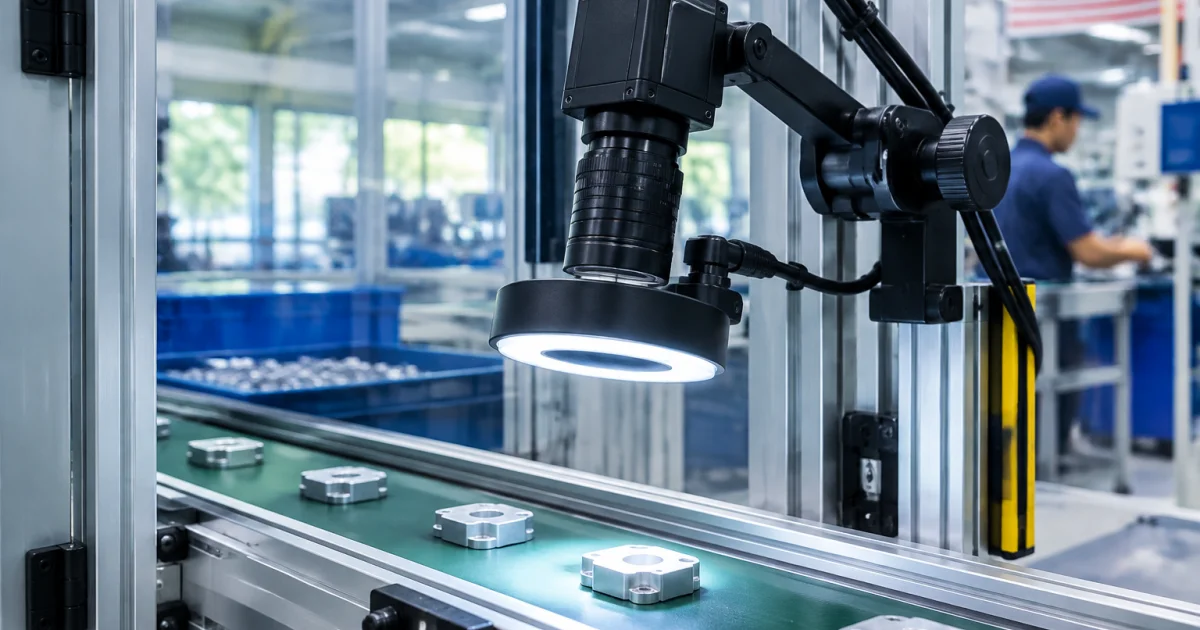
A Basler area scan camera captures full-frame images in a single shot, making it ideal for applications like:
- Product inspection
- Barcode and label verification
- Surface defect detection
- Assembly line quality control
Compared to line scan cameras, area scan models are more versatile and easier to integrate into most industrial vision systems, especially for standard production setups.
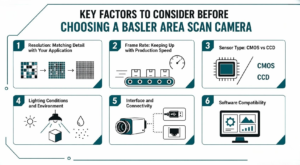
Key Factors to Consider Before Choosing A Basler Area Scan Camera
1.Resolution: Matching Detail with Your Application
Resolution determines how much detail your system can capture.
- Low resolution (1–2 MP): Suitable for basic detection and presence checks
- Medium resolution (3–8 MP): Ideal for general inspection tasks
- High resolution (10 MP and above): Required for fine detail inspection, such as electronics or micro-components
Choosing too high a resolution can increase processing load and cost, so it’s important to match it with your actual inspection needs.
2.Frame Rate: Keeping Up with Production Speed
Frame rate (FPS) defines how many images the camera captures per second.
- High-speed production lines require higher FPS
- Slower processes can operate efficiently with lower FPS
In Malaysian factories where throughput is critical, underestimating frame rate can lead to missed defects or bottlenecks.
3.Sensor Type: CMOS vs CCD
Most modern Basler cameras use CMOS sensors, which offer:
- Faster processing speeds
- Lower power consumption
- Better integration with modern systems
For most industrial applications today, CMOS is the practical choice.
4. Lighting Conditions and Environment
Malaysia’s humid climate and varying factory conditions can affect imaging performance.
Consider:
- Stable lighting setup (avoid shadows and glare)
- Proper lens selection
- Enclosures for dust or moisture protection
A good camera alone isn’t enough, lighting and environment setup are just as critical.
5.Interface and Connectivity
Your camera must integrate smoothly with your existing system. Common interfaces include:
- USB 3.0 (easy setup, cost-effective)
- GigE (longer cable distance, stable for industrial use)
Choosing the wrong interface can create unnecessary integration challenges later.
6.Software Compatibility
A reliable machine vision system depends heavily on software.
Basler cameras are often paired with user-friendly SDKs and software tools that support:
- Image processing
- System configuration
- Easy integration with automation systems
Make sure your team or vendor can support the software side—not just the hardware.
Quick Guide: Choosing the Right Basler Area Scan Camera
| Factor | What to Consider | Practical Recommendation |
|---|---|---|
| Resolution | Level of detail and object size | Use higher MP only for small defects |
| Frame Rate | Production speed | Match FPS to line speed to avoid misses |
| Sensor Type | Image performance and efficiency | CMOS is the standard for most setups |
| Interface | Integration and cable distance | GigE for industrial use, USB for simple setups |
| Lighting | Image clarity and consistency | Controlled lighting is critical |
| Environment | Heat, dust, humidity in factory | Use proper housing if conditions are harsh |
Common Mistakes to Avoid
Choosing the wrong camera setup often doesn’t fail immediately. It shows up later as inconsistent inspections, missed defects, or unnecessary system costs. Many of these issues come from a few common decision mistakes that are easy to overlook during the selection stage.
- Over-specifying resolution without real need
- Ignoring lighting setup
- Choosing based on price instead of application fit
- Not planning for future scalability
These mistakes can lead to higher costs and system inefficiencies over time.
Why Local Support Matters in Malaysia
Working with a trusted local supplier like Chin Tech ensures your machine vision system is supported beyond just the initial purchase. From selection to integration and after-sales service, having a team that understands Malaysia’s industrial environment can make a significant difference in long-term performance.
Working with a local supplier ensures:
- Faster technical support
- On-site consultation
- Better understanding of local industrial environments
This is especially important when integrating a Basler camera into complex automation systems, where downtime can be costly and expert support is critical.
Get Expert Help Choosing the Right Camera
Not sure which Basler area scan camera fits your application? Get practical advice and the right setup for your system.
Contact us today to discuss your requirements
Conclusion
Choosing the right Basler camera isn’t just about specifications. It’s about aligning the camera with your production goals, environment, and system requirements.
By focusing on practical factors like resolution, speed, integration, and local support, you can build a machine vision system that delivers consistent, long-term performance in Malaysia’s demanding industrial landscape.
Frequently Asked Questions
What is the difference between an area scan camera and a line scan camera?
Area scan cameras capture a complete image in a single shot, making them suitable for most machine vision inspection tasks. Line scan cameras capture images one line at a time and are ideal for inspecting continuously moving materials such as textiles, paper, films, and conveyor-based production lines.
How do I know what resolution I need for my machine vision system?
The required resolution depends on the size of the object being inspected and the level of detail you need to detect. Small defects, fine markings, or tiny components require higher-resolution cameras, while basic presence or absence detection can typically be achieved with lower megapixel cameras.
Is GigE or USB 3.0 better for industrial camera setups?
GigE cameras are ideal for industrial environments because they support longer cable distances, reliable data transmission, and easier network integration. USB 3.0 cameras are more suitable for compact systems where shorter cable lengths, simple installation, and lower costs are priorities.
Do Basler cameras work with common machine vision software?
Yes. Basler area scan cameras are compatible with most industry-standard machine vision software and support common industrial interfaces. They also include the Basler pylon Software Suite (SDK), making integration with automation systems and vision applications straightforward.
Do I need special lighting for a Basler area scan camera?
Yes. Proper lighting is essential for achieving accurate and consistent inspection results. Even a high-performance Basler camera cannot deliver optimal image quality without controlled illumination, so selecting the appropriate lighting solution is an important part of any machine vision system.