
How to choose the right Basler line scan camera for Malaysian production lines
Learn how to select a Basler line-scan camera for Malaysian production lines by comparing inspection geometry, resolution, line rate, interfaces, triggering and system-level integration requirements.
How to choose the right Basler line scan camera for Malaysian production lines
The right Basler line scan camera depends first on how the product moves, not on the highest resolution or line rate in a catalogue. Line-scan is usually worth considering when a Malaysian production line inspects a continuous web, a fast-moving conveyor product, or a rotating or cylindrical object. If the part is stationary and a single image can cover the complete inspection area, an area-scan camera may be simpler.
Before requesting a quotation, record the inspection width, smallest defect, line speed, colour requirement, lighting conditions, trigger method, cable distance, controller interface and machine I/O. These inputs provide a more defensible shortlist than choosing by model name alone.
Confirm that line scan fits the inspection task
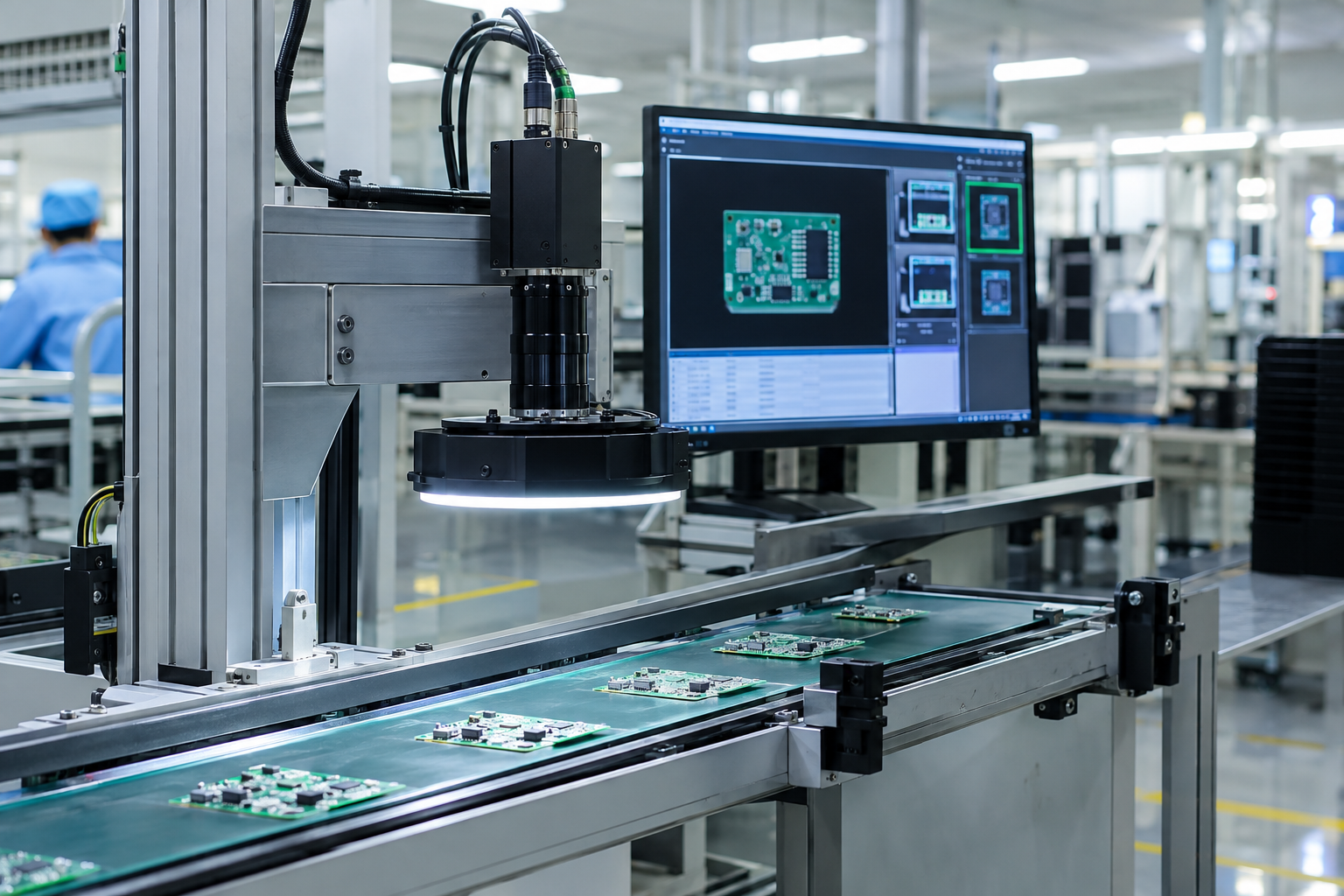
A line-scan camera captures one, two or three rows of pixels and reconstructs the image line by line as the object moves. This makes the camera type suitable for continuous moving webs, high-speed production lines and rotating or cylindrical objects. Typical applications include conveyor-based inspection, printing, sorting, packaging, food production and surface inspection.
A practical selection rule is to begin with the motion and image-formation problem, then compare compact mainstream models with higher-speed alternatives. A small, fast line-scan camera may suit a moving web or conveyor inspection where the required width and defect detail are modest, while a larger-resolution or higher-bandwidth configuration becomes relevant when the process demands more pixels, faster sampling or several cameras. In either case, validate the camera with the lens, lighting, trigger and motion system; catalogue speed alone does not establish inspection performance.
Use this go/no-go test:
- Choose line scan when the target moves continuously past the camera, the inspection needs consistent across-width detail, or the object geometry makes a conventional rectangular frame inconvenient.
- Investigate area scan when the object is stationary, the complete field of view fits comfortably in one frame and the inspection does not depend on synchronising image rows with motion.
Line scan does not remove the need for controlled optics and lighting. The camera only records the image produced by the lens, illumination and motion relationship, so the complete vision system must be validated rather than the camera body in isolation.
Translate the line into resolution and line-rate requirements
Start with the width that must be inspected and the smallest defect that matters. Basler Runner and racer ranges include 2k, 4k, 6k, 8k and 12k resolution options, but a larger pixel count is not automatically better. The required field of view, lens magnification, working distance, pixel size and defect contrast determine whether the detail is sufficient.
For a concrete reference point, the Basler raL6144-16gm is identified as a 6k GigE line-scan camera using an Awaiba DR-6k-7 CMOS sensor. That makes it a useful example when checking whether a compact GigE camera can meet the required inspection width and sampling rate. It is not a universal recommendation: confirm the actual model’s sensor, line rate, optics, lighting and controller requirements against the application. Chin Tech’s Basler line-scan camera product page can be used as a starting point for the supplier discussion.
Next, compare the required sampling rate with the production speed. A line-scan camera builds the image one line at a time, so line rate must be considered alongside web or conveyor speed and the sampling needed across the direction of travel. One supplied Runner reference lists a 51 kHz line rate through GigE, while Basler’s racer information describes line rates up to 80 kHz. Treat these as model-family or example specifications, not as a guarantee for every camera in the range.
Choose a Basler line-scan camera in this order: record the inspection width, smallest defect, production speed and required sampling; convert those inputs into the needed resolution and line rate; then check the interface, controller or frame-grabber, lighting, exposure and triggering for the shortlisted model. A higher-resolution or higher-bandwidth option is justified only when those requirements exceed a suitable GigE configuration. Confirm the exact model and Malaysian commercial terms with the supplier before ordering.
Check interface, bandwidth and synchronisation constraints
The interface affects sustained image transfer, controller selection, cabling and the way several cameras are integrated. GigE can suit many mainstream installations and is available in Runner and some racer configurations. A supplied GigE reference describes data rates up to 100 MB/s and a maximum cable length of 100 metres; confirm the exact camera, network design and installation conditions before treating that distance as achievable on a production line.
Camera Link provides a different integration route, while CoaXPress 2.0 with CXP-12 is available on the supplied racer 2 example for higher-resolution, high-throughput applications. CXP-12 is not automatically the right answer: the vision controller, frame grabber, cable path, software and maintenance capability must support it.
For higher-throughput designs, the Basler racer 2 family includes high-bandwidth options such as CoaXPress 2.0 with CXP-12. Use that route only when the required image transfer and the controller or frame grabber justify it; a GigE-based option may be more appropriate for a mainstream installation when its sustained data path meets the application. Confirm software compatibility within the pylon software environment for the selected camera and controller before specifying the architecture. The complete image path must be able to receive, process and store the data without becoming the production bottleneck.
Synchronisation is equally important. Check whether the application needs free-run, hardware-trigger or software-trigger operation, and define how the encoder, sensor, PLC and camera exchange timing signals. The supplied racer 2 example lists all three trigger modes together with three digital inputs and three digital outputs. Those specifications are useful starting points, but the wiring diagram and timing behaviour must be confirmed for the selected model and machine.
Compare Basler camera families by production trade-off
The following table narrows the investigation. It does not replace the current datasheet or an application test.
| Family or example | Useful starting point | Trade-off to investigate |
|---|---|---|
| Runner GigE | GigE line-scan family with examples covering 2k, 4k, 6k, 8k and 12k; one supplied reference lists 51 kHz through GigE. | Check network bandwidth, cable routing and whether the selected model meets the required line rate. |
| racer | Designed for high-speed inspection, multi-camera setups and low-light applications; examples include GigE and Camera Link, with up to 80 kHz stated for the range. | Compare controller and interface complexity against the benefit of higher speed or multi-camera operation. |
| raL6144-16gm | 6k GigE example with 6144 × 1 pixels, 7 μm pixels, global shutter and a 17 kHz line rate. | Its listed line rate may not suit a faster process; verify the lens-mount adapter requirement. |
| raL6144-80km | 6k Camera Link example with 6144 × 1 pixels, 7 μm pixels, global shutter and an 80 kHz line rate. | Confirm Camera Link hardware, cabling, controller compatibility and integration cost. |
| racer 2 r2L16384-60cc | 16k colour example with 3.5 μm pixels, a 60 kHz line rate and CoaXPress 2.0/CXP-12. | Higher resolution and bandwidth require matching optics, lighting, controller and data-handling capacity. |
Some listed examples include a 36-month warranty, but warranty terms and accessory requirements should be checked against the current quotation. Lens-mount adapters are separately identified for the supplied 6k racer examples, so include them in the technical and commercial shortlist rather than treating the camera as a complete installation.
For more background on the relationship between lenses, lighting, triggering and calibration, see Chin Tech’s Basler camera setup guide. Basler line-scan cameras are also listed in the company’s Basler camera product category.
Apply the criteria before requesting a quotation
Prepare a one-page application data sheet
Give the supplier enough information to test the application rather than asking for a generic “best” camera. Include:
- Object or web width and the required field of view.
- Smallest defect, feature or contrast difference to detect.
- Conveyor or web speed, including variation during production.
- Monochrome or colour inspection requirement.
- Available lighting, reflections, surface finish and working distance.
- Trigger source, encoder arrangement, PLC interface and required machine I/O.
- Camera-to-controller distance and preferred GigE, Camera Link or CXP architecture.
- Available mounting space, lens mount, cabling and maintenance access.
Then validate the whole system: camera, lens, lighting, controller, software, cabling, mounting, trigger timing and calibration. Ask for representative sample images or a controlled test using the actual material where possible. A listed resolution or line rate alone is not proof that the required defect will be detected.
Make the Malaysian procurement decision explicit
Choose the camera interface based on your inspection requirements, data transfer needs and existing equipment. GigE may suit applications with moderate bandwidth requirements, while higher-bandwidth interfaces may be worth considering for more demanding inspections. Before purchasing, request the latest technical documentation and a written quotation from the supplier. Use these to confirm the proposed configuration, compatibility and included services.
A practical shortlist normally contains one option that fits the existing architecture and one higher-performance alternative. Compare both against the same sample, line speed and defect criteria. This exposes whether the more expensive interface or resolution solves a real production constraint or merely adds unused capacity.
Frequently Asked Questions
When is a line-scan camera better than an area-scan camera?
A line-scan camera is usually better when the target is a continuous moving web, fast conveyor product, rotating object or cylindrical part. An area-scan camera may be simpler when the object is stationary and the complete inspection fits in one frame.
Is GigE sufficient for a Basler line-scan camera?
GigE can be sufficient when the required image data rate, cable path and controller architecture fit within the selected model’s limits. Compare the required pixels per line and line rate with the exact datasheet; choose Camera Link or CXP-12 only when their additional bandwidth or integration characteristics are justified.
Does a higher resolution guarantee better defect detection?
No. Higher resolution provides more pixels across the inspected width, but detection also depends on field of view, lens, pixel size, lighting, contrast, motion and calibration. Confirm performance with representative material and the actual smallest defect.
What should be confirmed before ordering?
Confirm the exact camera model, line rate, interface, trigger mode, digital I/O, lens, mount adapter, lighting, controller, cable distance, warranty, delivery and installed cost. These details prevent a camera-only purchase from leaving critical system components unresolved.
Build a defensible camera shortlist
Share your inspection width, line speed, smallest defect, lighting conditions, trigger method and controller constraints with Chin Tech to discuss the right Basler line-scan camera configuration for your production line. The more complete the application data, the more useful the technical quotation and validation plan will be.